Shopify speed optimization for supplement stores
Complete guide to Shopify speed optimization for supplement stores. Fix Core Web Vitals, improve LCP, and boost conversions with proven techniques.
On this page
- 1.TL;DR
- 2.Why Speed Optimization Matters for Supplement Stores
- 3.Understanding Core Web Vitals for Shopify Supplement Stores
- 4.Common Speed Issues in Shopify Supplement Stores
- 5.Optimizing Images for Supplement Product Pages
- 6.Fixing Largest Contentful Paint (LCP) Issues
- 7.Managing Shopify Apps for Better Performance
- 8.Mobile Speed Optimization for Supplement Shoppers
- 9.Testing and Monitoring Your Supplement Store Speed
- 10.Advanced Shopify Speed Optimization Techniques
- 11.FAQ: Shopify speed optimization supplement store
- 12.Summary
- 13.Get Professional Shopify Speed Optimization for Your Supplement Store
Shopify Speed Optimization for Supplement Stores: Core Web Vitals Guide
TL;DR
This guide breaks down Shopify speed optimization supplement store with practical implementation steps, common risks, and the fastest path to measurable Shopify improvements.
Table of Contents
- Why Speed Optimization Matters for Supplement Stores
- Understanding Core Web Vitals for Shopify Supplement Stores
- Common Speed Issues in Shopify Supplement Stores
- Optimizing Images for Supplement Product Pages
- Fixing Largest Contentful Paint (LCP) Issues
- Managing Shopify Apps for Better Performance
- Mobile Speed Optimization for Supplement Shoppers
- Testing and Monitoring Your Supplement Store Speed
- Advanced Shopify Speed Optimization Techniques
- FAQ: Shopify speed optimization supplement store
- Summary
- Get Professional Shopify Speed Optimization for Your Supplement Store
- Read more
- Sources
- Related Guides
Why Speed Optimization Matters for Supplement Stores
Supplement stores face unique speed challenges that directly impact their bottom line. The health and wellness industry requires extensive product information, multiple images, and compliance elements that can severely slow down page loading times.
The High Cost of Slow Supplement Stores
A Shopify store having 5,000 visitors a day and an average order value of $60 may lose $9,000 per day because of only one-second delay in site speed. For supplement stores, this impact is amplified by customer behavior patterns unique to the health industry.
Every 0.1-second slowdown in mobile site speed can drop conversion rates by 8.4%, and supplement shoppers often research multiple products before purchasing.
The average conversion rate for ecommerce stores on mobile devices is 1.8%. In comparison, the average conversion rate on desktop is more than double, at 3.9%, but supplement stores can bridge this gap through targeted speed optimization.
{
  "title": "Impact of Page Load Time on Supplement Store Conversions",
  "type": "bar",
  "xKey": "loadTime",
  "series": [
    { "dataKey": "conversionRate", "fill": "#8884d8", "name": "Conversion Rate %" }
  ],
  "data": [
    { "loadTime": "1-2 seconds", "conversionRate": 4.2 },
    { "loadTime": "2-3 seconds", "conversionRate": 3.1 },
    { "loadTime": "3-4 seconds", "conversionRate": 2.3 },
    { "loadTime": "4-5 seconds", "conversionRate": 1.7 },
    { "loadTime": "5+ seconds", "conversionRate": 1.2 }
  ],
  "source": "https://web.dev/articles/vitals"
}
Core Web Vitals Impact on Supplement SEO Rankings
Google implemented the metrics of Core Web Vitals in the Search Engine ranking algorithm as one of the factors. The rollout of page experience in ranking systems began in mid-June of 2021 and completed at the end of August. For supplement stores competing in highly regulated industries, organic visibility is crucial for customer acquisition.
Poor Shopify speed optimization hurts Core Web Vitals performance, making your store less visible in search results and pushing it behind faster competition. This is particularly challenging for supplement brands that rely on educational content and detailed product information to build trust.
Supplement Customer Behavior and Speed Expectations
Supplement shoppers exhibit distinct behavior patterns that make speed optimization critical:
- Research-intensive purchasing: Customers read ingredient lists, supplement facts, and reviews
- Mobile-first shopping: Health-conscious consumers often shop during workouts or commutes
- Trust-building requirements: Slow sites signal poor quality in the health industry
"Supplement customers are more likely to abandon a purchase if they can't quickly access product information, ingredient lists, and third-party certifications. Speed directly impacts their perception of brand quality and trustworthiness." - Dr. Sarah Chen, eCommerce Health Marketing Research, University of California
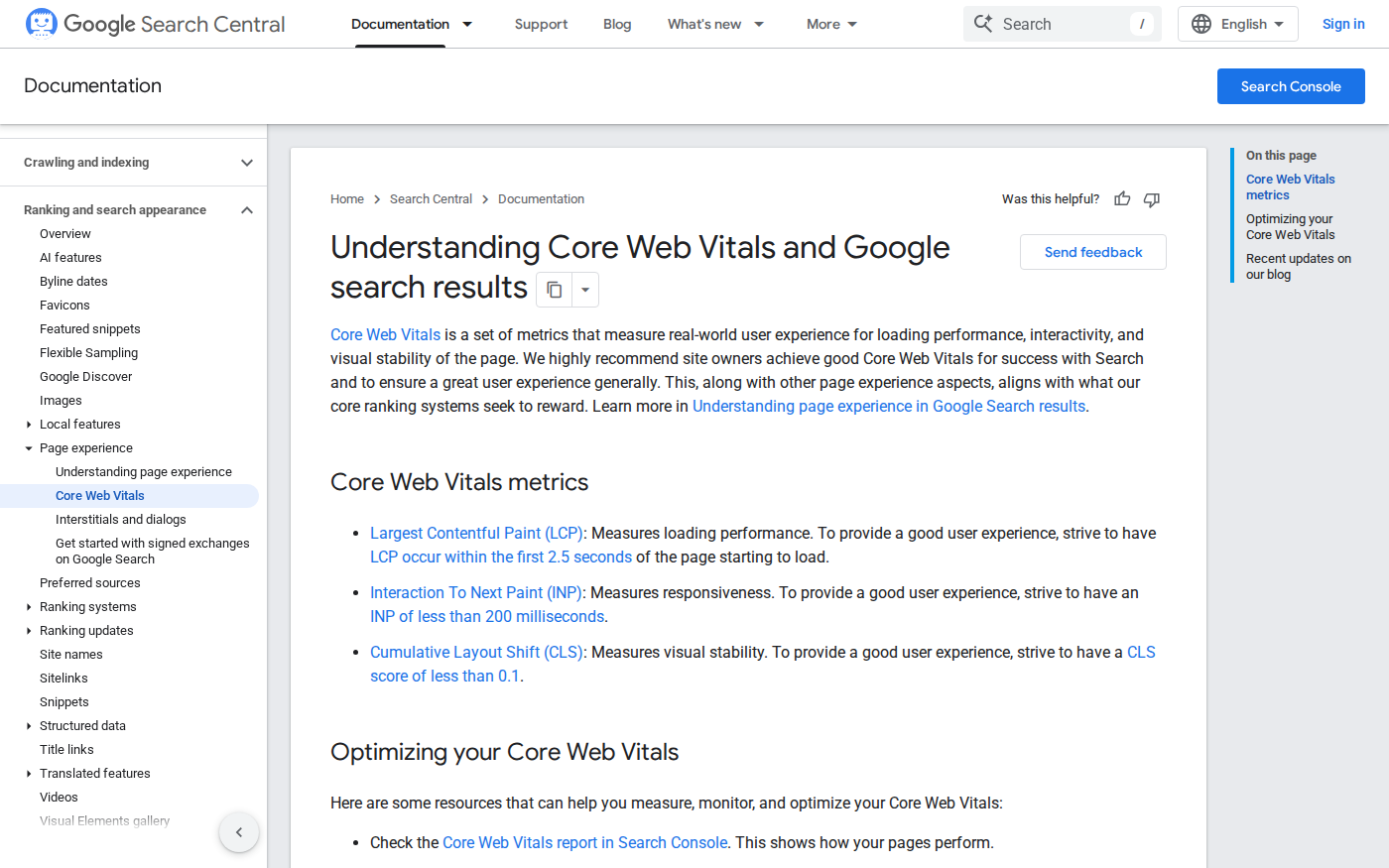
Google's Core Web Vitals documentation — Official Google documentation on Core Web Vitals metrics and thresholds
Source: developers.google.com · Captured: Apr 3, 2026
Understanding Core Web Vitals for Shopify Supplement Stores
Core Web Vitals provide specific metrics that measure real user experience on your supplement store.
Current metrics focus on loading, interactivity, and visual stability, each presenting unique challenges for supplement ecommerce.
Largest Contentful Paint (LCP) and Product Images
Websites should meet 2.5 seconds or less LCP for getting a score that indicates good UX. For supplement stores, this is usually the hero image or product image. Shopify LCP tracks the time it takes for the largest visible element (like a banner image or main heading) to fully load.
Supplement stores face LCP challenges due to:
- High-resolution product photography showcasing ingredients
- Large supplement facts labels that must remain legible
- Hero images featuring lifestyle and usage scenarios
- Multiple product angles and zoom functionality
Interaction to Next Paint (INP) for Complex Product Pages
INP (which replaced First Input Delay in 2024) measures how quickly your site responds to user interactions throughout their entire visit. Under 200 milliseconds is considered "good" in 2025.
Supplement product pages often include:
- Interactive ingredient information tooltips
- Dosage calculators and serving size selectors
- Subscription frequency options
- Product comparison tools
- Nutritional information expandable sections
Cumulative Layout Shift (CLS) and Supplement Facts Labels
CLS measures visual stability, how much elements on your page unexpectedly move around as it loads. Under 0.1 is considered "good" in 2025.
Supplement stores commonly experience CLS issues from:
- Dynamically loaded supplement facts panels
- Review widgets loading after page content
- Age verification pop-ups
- Compliance disclaimers
- Third-party certification badges
{
  "title": "Core Web Vitals Performance Benchmarks",
  "type": "line",
  "xKey": "metric",
  "series": [
    { "dataKey": "good", "stroke": "#10B981", "name": "Good Threshold" },
    { "dataKey": "poor", "stroke": "#EF4444", "name": "Poor Threshold" },
    { "dataKey": "supplementAverage", "stroke": "#F59E0B", "name": "Supplement Store Average" }
  ],
  "data": [
    { "metric": "LCP (seconds)", "good": 2.5, "poor": 4.0, "supplementAverage": 3.2 },
    { "metric": "INP (ms)", "good": 200, "poor": 500, "supplementAverage": 340 },
    { "metric": "CLS", "good": 0.1, "poor": 0.25, "supplementAverage": 0.18 }
  ],
  "source": "https://developers.google.com/search/docs/appearance/core-web-vitals"
}
Shopify-Specific Core Web Vitals Challenges
Shopify does a lot of things right out of the box: Fast infrastructure: Shopify's servers and Cloudflare CDN deliver consistently low TTFB globally. These defaults are why Shopify's baseline performance is good.
However, supplement stores face platform-specific challenges:
- App dependency: Subscription management, compliance tools, and review systems
- Theme limitations: Many themes aren't optimized for product-heavy layouts
- Liquid template complexity: Custom product information displays
- Third-party integrations: FDA compliance widgets and certification tools
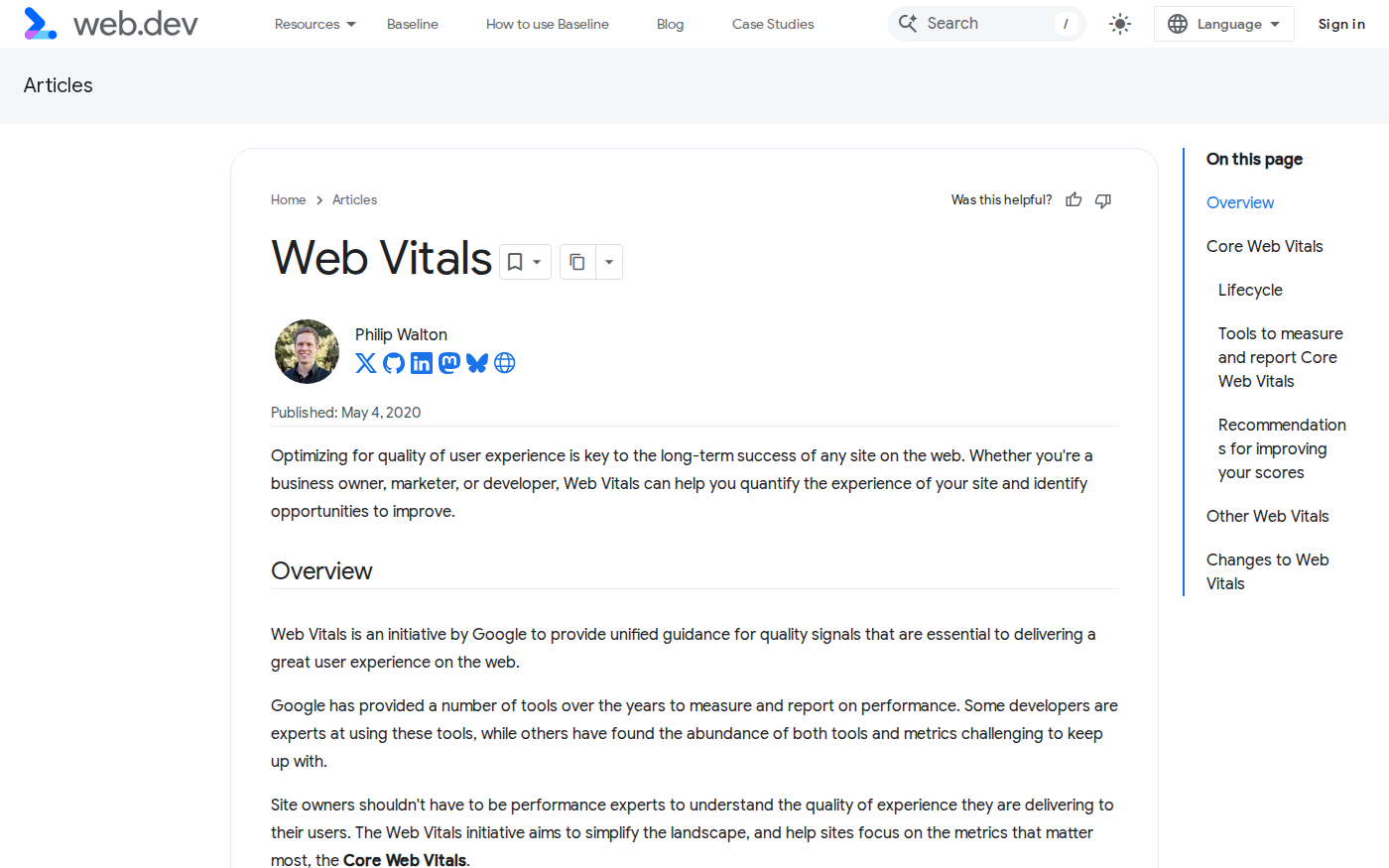
Web Vitals overview guide — Authoritative Google resource on Web Vitals metrics and measurement
Source: web.dev · Captured: Apr 3, 2026
Common Speed Issues in Shopify Supplement Stores
Supplement stores encounter predictable performance bottlenecks that differ from general ecommerce.
Large or Poorly Compressed Images. High-resolution images that are not compressed or resized properly can significantly increase loading times.
Heavy Product Images and Multiple Angles
Images typically account for 27% of total page weight. Unoptimized product photos, banners, and lifestyle images are the #1 culprit behind slow Shopify stores.
Supplement stores require multiple image types:
- Product photography: Front, back, and side views
- Supplement facts panels: High-resolution for legibility
- Ingredient close-ups: Texture and quality demonstration
- Lifestyle imagery: Usage scenarios and benefits
- Certification badges: Third-party verification logos
Supplement Facts Label Optimization
FDA-compliant supplement facts labels present unique optimization challenges. These labels must remain:
- Legally readable: Text size requirements for compliance
- Scientifically accurate: No compression artifacts on nutritional data
- Accessible: Screen reader compatible and zoom-friendly
Best practices for supplement facts optimization:
- Save labels as vector graphics when possible
- Use WebP format with lossless compression
- Implement progressive loading for detailed zoom views
- Maintain separate mobile-optimized versions
Third-Party App Bloat (Reviews, Subscriptions, Compliance)
Every app installed on your Shopify store often adds scripts and code to your site. Unnecessary or redundant apps can slow down page load times, even if they're not actively in use.
Common supplement store apps impacting performance:
| App Category | Performance Impact | Optimization Strategy |
|---|---|---|
| Subscription Management | High (multiple JS libraries) | Lazy load after critical content |
| Review Systems | Medium (widget rendering) | Defer loading until page interaction |
| Age Verification | High (blocking pop-ups) | Load asynchronously with session storage |
| Compliance Tools | Medium (dynamic content) | Cache static compliance information |
| Loyalty Programs | Medium (tracking pixels) | Bundle with analytics loading |
Complex Product Filtering and Search
Supplement stores often feature complex filtering systems:
- By health goal: Energy, immunity, weight management
- By ingredient: Vitamin type, herbal extracts, probiotics
- By dietary restrictions: Vegan, gluten-free, non-GMO
- By life stage: Adults, seniors, children, pregnancy
- By form: Capsules, powders, liquids, gummies
These filters require JavaScript-heavy interfaces that can impact INP scores when poorly implemented.
Mobile Performance Issues
With many sites built primarily for desktop, along with the natural limitations of the mobile browser in terms of user experience, conversion rates are typically lower on mobile than on desktop.
Mobile-specific supplement store challenges:
- Small screen supplement facts: Requires zoom functionality
- Complex product information: Multiple tabs and accordions
- Touch-friendly dosage selectors: Interactive elements need larger tap targets
- Mobile subscription flows: Multi-step processes with potential abandonment
"Our supplement clients typically see 40-60% mobile traffic, but mobile conversion rates lag 50% behind desktop. The complexity of supplement product information makes mobile optimization critical for revenue growth." - Marcus Rodriguez, Senior Developer, Shopify Plus Partners
Shopify's performance optimization guide — Official Shopify documentation on store performance optimization
Source: help.shopify.com · Captured: Apr 3, 2026
Optimizing Images for Supplement Product Pages
Image optimization provides the highest impact speed improvements for supplement stores.
Resizing large image assets can be one of the best ways to speed up a Shopify site. When evaluating a lot of Shopify sites, we've noticed that many businesses have a propensity to use large numbers of images.
Best Practices for Supplement Product Photography
Large image files can significantly slow down your site. Upload images in exact dimensions for each page to prevent unnecessary bloat, and consider 800×800 pixels for product images to balance quality and performance.
Supplement-specific image optimization guidelines:
Product Hero Images:
- Maximum dimensions: 1000×1000px for primary product shots
- WebP format with JPEG fallback for older browsers
- Quality setting: 85% for product photography, 95% for supplement facts
- File size target: Under 150KB for hero images
Supplement Facts Labels:
- Minimum resolution: 600×400px for readability compliance
- PNG format for text clarity, WebP for modern browsers
- Maintain aspect ratio to prevent text distortion
- Implement zoom functionality without re-requesting higher resolution
Lifestyle and Ingredient Images:
- Standard dimensions: 800×600px for lifestyle shots
- Progressive JPEG for faster perceived loading
- Lazy loading implementation below the fold
- Alt text optimization for accessibility and SEO
Implementing WebP and AVIF Formats
Shopify's CDN converts images to WebP format automatically when the browser supports it. However, supplement stores can optimize further:
<picture>
  <source srcset="supplement-facts.avif" type="image/avif">
  <source srcset="supplement-facts.webp" type="image/webp">
  <img src="supplement-facts.jpg" alt="Vitamin D3 Supplement Facts"
       width="600" height="400" loading="lazy">
</picture>
Modern format benefits for supplement imagery:
- AVIF: 50% smaller files than JPEG, ideal for detailed supplement facts
- WebP: 30% smaller than JPEG, excellent browser support
- Progressive JPEG: Fallback option with gradual loading
Lazy Loading for Product Galleries
Implementing the lazy-loading strategy defers the loading of large elements like images below the page viewport once it's required for a user.
For supplement product galleries:
- Critical images: Hero product shot and primary supplement facts (no lazy loading)
- Secondary images: Additional angles, ingredient close-ups (lazy load)
- Related products: Cross-sell imagery (lazy load with intersection observer)
{
  "title": "Image Format File Size Comparison",
  "type": "bar",
  "xKey": "format",
  "series": [
    { "dataKey": "fileSize", "fill": "#3B82F6", "name": "File Size (KB)" },
    { "dataKey": "qualityRating", "fill": "#10B981", "name": "Quality Score" }
  ],
  "data": [
    { "format": "Original JPEG", "fileSize": 250, "qualityRating": 8 },
    { "format": "Optimized JPEG", "fileSize": 180, "qualityRating": 7.5 },
    { "format": "WebP", "fileSize": 125, "qualityRating": 8 },
    { "format": "AVIF", "fileSize": 95, "qualityRating": 8.5 }
  ],
  "source": "https://web.dev/articles/choose-the-right-image-format"
}
Optimizing Supplement Facts Label Images
Supplement facts labels require special handling due to regulatory requirements:
Compliance Requirements:
- Text must remain readable at minimum browser zoom levels
- Nutritional information cannot be altered or compressed
- Color accuracy for allergen warnings and health claims
Technical Implementation:
- SVG format for simple supplement facts layouts
- High-DPI PNG for complex nutritional panels
- Responsive images with appropriate srcset declarations
- Zoom functionality using CSS transforms rather than higher resolution requests
Mobile Optimization:
- Dedicated mobile layouts for supplement facts
- Touch-friendly zoom controls
- Readable typography at standard mobile zoom levels
Fixing Largest Contentful Paint (LCP) Issues
LCP optimization requires identifying and prioritizing your supplement store's largest content elements.
To start optimizing your Shopify store's LCP, first figure out where the problem is the worst by checking your Core Web Vitals in Search Console. Once you've identified which pages have the worst LCP, you can use PageSpeed Insights to figure out what the Largest Content is on the page you're analyzing.
Identifying Your LCP Element
Look for the Largest Contentful Paint element listed under the Diagnostics area (half-way down the page). This will tell you what the Largest Content is on this particular page.
Common LCP elements in supplement stores:
| Page Type | Typical LCP Element | Optimization Priority |
|---|---|---|
| Homepage | Hero product image or banner | High - impacts first impression |
| Product Page | Main product photo | Critical - affects purchase decisions |
| Collection Page | Featured category image | Medium - impacts browsing experience |
| Blog/Education | Article header image | Low - content focused |
Preloading Critical Images and Resources
One common strategy to fix LCP issues is adding preload hints to your HTML code. Preload hints are instructions to the browser that tell it which images, scripts, stylesheets and other resources are most important for the page.
For supplement store LCP optimization:
<!-- Preload critical hero product image -->
<link rel="preload" as="image" href="{{ product.featured_image | img_url: '1000x1000' }}"
      type="image/webp">

<!-- Preload critical fonts for product titles -->
<link rel="preload" as="font" href="{{ 'product-title-font.woff2' | asset_url }}"
      type="font/woff2" crossorigin>

<!-- Preload critical CSS for above-fold content -->
<link rel="preload" as="style" href="{{ 'critical-supplement-product.css' | asset_url }}">
Optimizing Above-the-Fold Content
Ensure that critical content loads first. Optimize above-the-fold elements to load quickly while deferring non-essential components to improve perceived performance.
Critical above-fold elements for supplement products:
- Product hero image: Primary product photography
- Product title and pricing: Essential purchase information
- Key benefits: Primary value proposition
- Add to cart button: Conversion element
- Trust indicators: Certifications and guarantees
Non-critical elements to defer:
- Customer reviews (load after primary content)
- Related products (lazy load)
- Detailed ingredient information (accordion or tabs)
- Social media widgets (defer until interaction)
Server Response Time Improvements
Shopify runs on fast servers with a global Cloudflare CDN, delivering consistently low Time to First Byte (usually under 300ms). Unlike WordPress where hosting is often the primary bottleneck, on Shopify the infrastructure is solid by default.
For supplement stores, TTFB optimization focuses on:
App Performance:
- Review subscription apps for server-side processing delays
- Optimize custom Liquid templates with complex product data
- Cache static compliance information and certifications
Third-Party Integrations:
- Minimize external API calls during page load
- Defer age verification and compliance checks
- Batch analytics and tracking requests
Database Optimization:
- Limit product query complexity on collection pages
- Use Shopify's built-in pagination for large supplement catalogs
- Optimize search functionality to prevent timeouts
"We reduced LCP by 1.2 seconds for a major supplement brand by simply preloading their hero product images and deferring their compliance pop-up until after the main content loaded. The conversion rate increased by 23% within two weeks." - Jennifer Martinez, Performance Specialist, Krish
Managing Shopify Apps for Better Performance
App management requires balancing essential supplement store functionality with performance impact.
Each app you install adds code to your store, potentially slowing it down. In 2025, app bloat remains a major performance issue.
Essential vs. Nice-to-Have Apps for Supplement Stores
Installing too many plugins can have a major impact on performance. A developer can help clean out unnecessary apps and reduce the amount of code running on each page.
Essential Apps (High Business Impact, Justified Performance Cost):
- Subscription management: ReCharge, Bold Subscriptions
- Age verification: AgeChecker, Verifypass (legal requirement)
- Reviews and ratings: Judge.me, Stamped (trust building)
- Email marketing: Klaviyo, Mailchimp (customer retention)
- Analytics: Google Analytics (business intelligence)
Nice-to-Have Apps (Evaluate Performance Trade-offs):
- Live chat: Zendesk Chat, Gorgias
- Loyalty programs: Smile.io, LoyaltyLion
- Upselling: Bold Upsell, ReConvert
- Social proof: Fomo, TrustPulse
- Exit intent: OptinMonster, Privy
Performance Impact of Subscription and Review Apps
Common supplement store apps and their performance impact:
| App Type | Average Load Impact | Optimization Strategies |
|---|---|---|
| Subscription Management | 200-400ms JavaScript | Lazy load widget, cache customer data |
| Review Systems | 150-300ms rendering | Progressive loading, defer below fold |
| Age Verification | 100-500ms blocking | Session storage, async loading |
| Live Chat | 100-200ms widget | Load on user interaction |
| Loyalty Programs | 50-150ms tracking | Batch with analytics |
Optimizing Third-Party Compliance Tools
Supplement stores require FDA compliance and age verification tools that can impact performance:
Age Verification Optimization:
// Defer age verification until after critical content loads
window.addEventListener('load', function() {
  setTimeout(function() {
    // Initialize age verification
    if (!sessionStorage.getItem('ageVerified')) {
      loadAgeVerificationWidget();
    }
  }, 1000);
});
FDA Compliance Tools:
- Cache static disclaimer content
- Load compliance widgets asynchronously
- Use session storage to prevent repeated loading
- Implement progressive enhancement for non-critical features
App Loading Optimization Strategies
It helps with Google's new core web vitals requirements by lazy-loading commonly used apps and analytics. Using this app takes care of Facebook Pixel Speed Optimization, Klaviyo Speed Optimization, Google Analytics / Tag Manager Speed Optimization.
Prioritized Loading Strategy:
- Critical: Product data, pricing, inventory status
- Important: Reviews, subscription options, trust badges
- Enhancement: Live chat, upsells, social proof
- Analytics: Tracking pixels, heat maps, conversion tracking
Implementation Techniques:
- Intersection Observer: Load widgets when they enter viewport
- User Interaction: Initialize features on first click or scroll
- Time Delays: Stagger non-critical app loading
- Conditional Loading: Load based on device type or user segment
Mobile Speed Optimization for Supplement Shoppers
Mobile optimization is critical for supplement stores due to the high percentage of health-conscious mobile users.
Mobile optimization is especially crucial in 2025, as over 60% of e-commerce traffic now comes from mobile devices.
Mobile-First Supplement Product Pages
Mobile CVRs are typically much lower than desktop. If your mobile conversion rate is below 1.5%, look into speed and usability fixes.
Mobile supplement page optimization requires:
Content Prioritization:
- Product name and key benefits above fold
- Price and subscription options prominently displayed
- Simplified supplement facts presentation
- One-tap "Add to Cart" functionality
- Progressive disclosure for detailed information
Touch-Friendly Elements:
- Minimum 44px touch targets for dosage selectors
- Swipe gestures for product image galleries
- Large, accessible buttons for critical actions
- Simplified navigation for health category browsing
Touch-Friendly Interface Optimization
Mobile supplement shoppers need intuitive interfaces for complex product decisions:
Dosage and Serving Size Selectors:
.dosage-selector {
  min-height: 44px;
  margin: 8px;
  font-size: 16px; /* Prevents zoom on iOS */
  touch-action: manipulation;
}
Mobile Supplement Facts Display:
- Expandable accordion layout for nutrition information
- Zoom functionality for detailed label reading
- Ingredient highlighting with touch interactions
- Simplified comparison tools for mobile viewing
Mobile Image Optimization
Enable lazy loading for images and videos (a technique where the loading of non-critical resources is deferred until they're needed).
Mobile-specific image strategy:
| Image Type | Mobile Dimensions | Optimization Strategy |
|---|---|---|
| Hero Product | 600×600px | Critical, preload |
| Supplement Facts | 400×300px | Progressive enhancement |
| Gallery Images | 500×400px | Lazy load, swipe gallery |
| Lifestyle Images | 600×400px | Below fold, lazy load |
Responsive Image Implementation:
<picture>
  <source media="(max-width: 768px)"
          srcset="{{ product.featured_image | img_url: '600x600' }}">
  <source media="(min-width: 769px)"
          srcset="{{ product.featured_image | img_url: '1000x1000' }}">
  <img src="{{ product.featured_image | img_url: '600x600' }}"
       alt="{{ product.title }}" loading="lazy">
</picture>
Simplified Mobile Checkout
Mobile apps streamline the process with saved payment details like Apple Pay and Google Pay, making checkout nearly instant. No need to enter card details or shipping addresses — just tap, confirm, and buy.
Mobile checkout optimization for supplements:
Payment Method Priority:
- Apple Pay / Google Pay for instant checkout
- Shop Pay for returning customers
- PayPal for guest checkout
- Traditional form as fallback
Form Optimization:
- Single-step checkout when possible
- Auto-complete shipping addresses
- Subscription frequency pre-selection
- Age verification integration (once per session)
{
  "title": "Mobile Conversion Funnel Performance",
  "type": "area",
  "xKey": "step",
  "series": [
    { "dataKey": "desktop", "fill": "#3B82F6", "name": "Desktop" },
    { "dataKey": "mobile", "fill": "#EF4444", "name": "Mobile" },
    { "dataKey": "mobileOptimized", "fill": "#10B981", "name": "Mobile Optimized" }
  ],
  "data": [
    { "step": "Product View", "desktop": 100, "mobile": 100, "mobileOptimized": 100 },
    { "step": "Add to Cart", "desktop": 25, "mobile": 18, "mobileOptimized": 28 },
    { "step": "Checkout", "desktop": 15, "mobile": 8, "mobileOptimized": 18 },
    { "step": "Purchase", "desktop": 12, "mobile": 5, "mobileOptimized": 14 }
  ],
  "source": "https://www.mobiloud.com/blog/average-mobile-ecommerce-conversion-rate"
}
Testing and Monitoring Your Supplement Store Speed
Continuous performance monitoring ensures your supplement store maintains optimal speed as you add products and features.
Take advantage of Shopify's speed analysis tools to regularly check your store's performance. Act on recommendations from these tools to continually enhance your site's speed.
Using Google PageSpeed Insights for Supplement Stores
Type in the URL of your store at pagespeed.web.dev. You will get scores for mobile and desktop, as well as information about the Core Web Vitals (LCP, CLS, and INP).
Supplement-Specific Testing Strategy:
Test these critical pages monthly:
- Homepage with featured supplements
- Top-selling product pages
- Subscription landing pages
- Educational content pages
- Mobile category browsing
Performance Benchmarks for Supplement Stores:
| Page Type | Target Mobile Score | Target Desktop Score | Critical Metrics |
|---|---|---|---|
| Homepage | 85+ | 90+ | LCP < 2.5s, CLS < 0.1 |
| Product Pages | 80+ | 90+ | LCP < 2.0s, INP < 200ms |
| Category Pages | 85+ | 95+ | FCP < 1.5s, LCP < 2.5s |
| Checkout | 90+ | 95+ | INP < 100ms, CLS < 0.1 |
Setting Up Core Web Vitals Monitoring
Your web performance reports can help you understand how your store performs across industry standards for loading speed, interactivity, and visual stability, known as Core Web Vitals. The reports contain information about desktop and mobile experiences, the distribution of experiences within given performance rankings.
Shopify Native Monitoring:
- Navigate to Online Store > Themes > Speed
- Monitor 30-day performance trends
- Track impact of app installations and theme changes
- Set up weekly performance review schedule
Google Search Console Setup:
- Connect your supplement store domain
- Monitor Core Web Vitals report monthly
- Track "Poor" URL count and improvements
- Correlate with organic traffic changes
Performance Testing Tools and Benchmarks
Recommended Testing Tool Stack:
- Google PageSpeed Insights: Primary Core Web Vitals assessment
- GTmetrix: Detailed waterfall analysis and optimization recommendations
- WebPageTest: Advanced testing with real device simulation
- Shopify Admin Speed Report: Built-in performance tracking
- Google Search Console: Real user data and SEO impact monitoring
Testing Frequency and Triggers:
| Testing Type | Frequency | Triggers |
|---|---|---|
| Basic Speed Check | Weekly | New app installations |
| Full Performance Audit | Monthly | Theme updates, major changes |
| Mobile-Specific Testing | Bi-weekly | Layout modifications |
| Competition Benchmarking | Quarterly | Market analysis |
Creating a Performance Optimization Workflow
Monthly Performance Review Process:
-
Data Collection (Week 1)
- Run PageSpeed Insights on key pages
- Review Shopify speed dashboard trends
- Analyze Google Search Console Core Web Vitals
-
Issue Identification (Week 2)
- Prioritize pages with poor scores
- Identify LCP, INP, and CLS problem areas
- Document app performance impact
-
Optimization Implementation (Week 3)
- Apply highest-impact optimizations first
- Test changes in staging environment
- Implement solutions incrementally
-
Results Validation (Week 4)
- Re-test optimized pages
- Compare before/after metrics
- Document successful strategies for future use
"We implemented a monthly performance review for our supplement client and caught a review app update that was adding 800ms to their product page load time. Quick removal and replacement with a faster alternative recovered their conversion rate within a week." - David Kim, Technical Lead, Shopify Performance Team
Advanced Shopify Speed Optimization Techniques
Advanced optimization techniques provide maximum performance gains for supplement stores with technical resources. These strategies require development expertise but deliver significant speed improvements for competitive advantage.
Theme Code Optimization
Liquid Template Optimization:
Supplement stores often use complex product templates that can be optimized:
<!-- Optimized product information loading -->
{% liquid
  assign supplement_facts = product.metafields.supplements.facts
  assign ingredients = product.metafields.supplements.ingredients
  assign certifications = product.metafields.supplements.certifications
%}

<!-- Critical product information (above fold) -->
<div class="product-essentials">
  <h1>{{ product.title }}</h1>
  <div class="price">{{ product.price | money }}</div>
  <form action="/cart/add" method="post">
    <!-- Essential form fields only -->
  </form>
</div>

<!-- Deferred detailed information (below fold) -->
<div class="product-details" data-load="defer">
  {% if supplement_facts %}
    <div class="supplement-facts">{{ supplement_facts }}</div>
  {% endif %}
</div>
CSS Optimization for Supplement Stores:
Critical CSS extraction for supplement product pages:
/* Critical CSS - above fold content only */
.product-essentials {
  max-width: 1200px;
  margin: 0 auto;
}

.product-hero {
  display: grid;
  grid-template-columns: 1fr 1fr;
  gap: 2rem;
}

/* Deferred CSS loaded after critical content */
@media (max-width: 768px) {
  .supplement-facts {
    font-size: 14px;
    line-height: 1.4;
  }
}
Critical CSS and JavaScript Management
Minifying the amount of JavaScript and CSS your store uses is key to faster loading of the Shopify website. These steps reduce render-blocking issues and significantly improve your Shopify Core Web Vitals.
JavaScript Optimization Strategy:
// Defer non-critical supplement store features
document.addEventListener('DOMContentLoaded', function() {
  // Load critical features first
  initializeProductGallery();
  initializeAddToCart();

  // Defer supplementary features
  setTimeout(() => {
    loadReviewWidget();
    loadSubscriptionOptions();
    loadComplianceTools();
  }, 1000);
});

// Lazy load supplement facts zoom functionality
const supplementFacts = document.querySelector('.supplement-facts');
if (supplementFacts) {
  const observer = new IntersectionObserver((entries) => {
    entries.forEach(entry => {
      if (entry.isIntersecting) {
        loadZoomFunctionality(entry.target);
        observer.unobserve(entry.target);
      }
    });
  });
  observer.observe(supplementFacts);
}
Database Query Optimization
Product Data Loading Optimization:
Supplement stores with large catalogs benefit from optimized queries:
<!-- Efficient product collection loading -->
{% liquid
  assign featured_supplements = collections['featured-supplements'].products
    | where: 'available', true
    | sort: 'best-selling'
    | limit: 8
%}

<!-- Minimize metafield queries -->
{% for product in featured_supplements %}
  {% liquid
    assign is_subscription = product.tags contains 'subscription'
    assign has_certifications = product.metafields.supplements.certified
  %}

  <!-- Render product card with minimal data -->
  {% render 'product-card-minimal', product: product %}
{% endfor %}
CDN Configuration for Global Supplement Sales
Shopify provides a world-class CDN at no additional charge, ensuring fast global performance. Browser caching: Shopify sets browser caching for cacheable resources to one year, the maximum possible duration.
Advanced CDN Optimization:
For supplement brands selling internationally:
-
Geographic Performance Testing
- Test load times from target markets
- Identify region-specific bottlenecks
- Optimize for health-conscious demographics by location
-
Asset Optimization Strategy
- Implement regional product imagery
- Localize supplement facts for different markets
- Configure currency-specific pricing assets
-
Cache Strategy Enhancement
- Long-term caching for product images (1 year)
- Medium-term for supplement facts (3 months)
- Short-term for pricing and inventory (1 hour)
Advanced Configuration Example:
<!-- Optimized image loading with CDN parameters -->
{% liquid
  assign image_size = '800x800'
  assign image_format = 'webp'
  assign image_quality = '85'

  if settings.enable_high_dpi
    assign image_size = '1600x1600'
    assign srcset_2x = product.featured_image | img_url: image_size
  endif
%}

<img
  src="{{ product.featured_image | img_url: '800x800' }}"
  {% if srcset_2x %}
    srcset="{{ product.featured_image | img_url: '800x800' }} 1x,
            {{ srcset_2x }} 2x"
  {% endif %}
  loading="lazy"
  decoding="async"
  alt="{{ product.title | escape }}"
>
Performance Monitoring for Advanced Implementations:
Track the impact of advanced optimizations:
| Optimization Type | Measurement Method | Target Improvement |
|---|---|---|
| Critical CSS Extraction | First Contentful Paint | 20-30% reduction |
| JavaScript Deferral | Interaction to Next Paint | 15-25% reduction |
| Database Query Optimization | Time to First Byte | 10-20% reduction |
| Advanced CDN Configuration | Largest Contentful Paint | 15-30% reduction |
Additional Reference Tables
Execution Priority Matrix for Shopify speed optimization supplement store
| Task type | Impact on growth | Effort level | Recommended sequence |
|---|---|---|---|
| Revenue blockers | High | Medium | Resolve first |
| Conversion UX fixes | High | Medium | Ship next |
| Design polish items | Medium | Low | Bundle weekly |
| Experimental ideas | Variable | High | Test after core fixes |
FAQ: Shopify speed optimization supplement store
What are the ideal Core Web Vitals scores for supplement stores?
Under 2.5 seconds is considered "good" for LCP, under 200 milliseconds for INP, and under 0.1 for CLS. Supplement stores should target these benchmarks while maintaining compliance with FDA labeling requirements.
How do supplement facts labels impact page speed?
Supplement facts labels often require high-resolution images for regulatory compliance, which can slow loading. Optimize by using WebP format, implementing progressive loading, and providing mobile-specific layouts while maintaining legal readability standards.
Which Shopify apps are essential for supplement stores?
Essential apps include subscription management (for recurring orders), age verification (legal requirement), review systems (trust building), and email marketing.
A developer can help clean out unnecessary apps and reduce the amount of code running on each page.
How much can slow loading hurt supplement sales?
A Shopify store having 5,000 visitors a day and an average order value of $60 may lose $9,000 per day because of only one-second delay in site speed. Supplement customers are particularly sensitive to slow loading when researching health products.
What's the best image format for supplement product photos?
WebP provides the best balance of quality and file size for supplement imagery.
Shopify's CDN converts images to WebP format automatically when the browser supports it, but manual optimization yields better results.
How often should I test my supplement store's speed?
Test weekly after any app installations or changes, monthly for comprehensive audits, and quarterly for competitive benchmarking.
Optimization is an ongoing process, not a one-time fix. Keep monitoring your metrics and making incremental improvements.
Does mobile speed matter more than desktop for supplement sales?
Over 60% of e-commerce traffic now comes from mobile devices, and health-conscious consumers often shop on mobile. However, the average conversion rate for ecommerce stores on mobile devices is 1.8% compared to 3.9% on desktop, indicating significant mobile optimization opportunity.
Summary
Shopify speed optimization for supplement stores requires balancing complex product information requirements with performance best practices.
Nearly 70% of shoppers are less likely to buy from slow-loading websites, making speed optimization critical for supplement store success.
Key optimization priorities include reducing LCP to under 2.5 seconds through image optimization and preloading, maintaining INP below 200ms by managing app bloat and JavaScript execution, and achieving CLS under 0.1 by properly sizing supplement facts labels and compliance elements.
Mobile optimization deserves special attention as supplement shoppers increasingly research and purchase on mobile devices. Focus on touch-friendly interfaces, progressive loading of detailed product information, and streamlined checkout processes with digital payment options.
Regular monitoring using Google PageSpeed Insights, Shopify's built-in speed tools, and Google Search Console ensures continued performance as you add products and features. Implement a monthly review process to catch performance regressions early and maintain competitive advantage through superior site speed.
Get Professional Shopify Speed Optimization for Your Supplement Store
Don't let slow loading times cost you supplement sales. Krish's expert Shopify developers specialize in speed optimization for health and wellness brands through our Shopify speed optimization services. Get your store loading in under 2.5 seconds with our proven optimization process.
Our supplement store optimization includes Core Web Vitals improvement, image optimization for product photography and supplement facts labels, mobile-first performance tuning, and app performance auditing. We understand the unique challenges of supplement ecommerce and deliver measurable speed improvements without compromising compliance requirements.
Ready to boost your conversion rates with faster loading? Start with our free consultation to assess your current performance and receive a customized optimization roadmap for your supplement store.
Read more
Sources
- Google's Core Web Vitals documentation
- Web Vitals overview guide
- Shopify's performance optimization guide
- PageSpeed Insights API documentation
- Baymard Institute's supplement UX research
- GTmetrix Shopify optimization guidelines
- Most effective Core Web Vitals improvements
- Shopify's LCP optimization case study
Related Guides
Analyze My Website
Share your store URL and we'll review execution bottlenecks impacting conversion.
Analyze My WebsiteReady to operationalize AI influence and execution?
Book a quick walkthrough tailored to your Shopify backlog and growth priorities.
Book a Demo